AI or Human? A Complete Guide to AI Detection Software + Ai.Rax Review
You’re scrolling through social media and see a video of a well-known public figure endorsing a product you’ve never heard of. It looks real, sounds real, but something feels off. Or you’re a professo…

Introduction
You’re scrolling through social media and see a video of a well-known public figure endorsing a product you’ve never heard of. It looks real, sounds real, but something feels off. Or you’re a professor grading a stack of essays, and one is so polished it doesn’t match a student’s previous work. Or you’re a marketing manager reviewing an influencer’s submitted content, and the voiceover sounds slightly too smooth to be natural. In every one of these cases, the question on your mind is the same: AI or Human?
As generative AI tools become more accessible and sophisticated, distinguishing between AI-created and human-made content is no longer a niche concern for tech experts – it’s a necessity for educators, business leaders, legal professionals, and everyday internet users alike. That’s where reliable AI detection software comes in, and for many users, the first step is testing an AI detector free option to see how it fits their needs. In this guide, we’ll break down how AI detection works across all content types, review the industry-leading multi-modal detection tool Ai.Rax, and answer all your top questions about identifying AI content.
How AI Detection Works: Technical Principles Across Content Types
All generative AI models create content by learning patterns from massive training datasets, and they leave consistent, measurable artifacts that are invisible to the naked eye but detectable by specialized AI detection software. Below, we break down the technical principles for each content type, with real-world examples of how Ai.Rax identifies these patterns.
Text Detection
Modern large language models (LLMs) generate text by predicting the most statistically likely next word in a sequence, based on trillions of tokens they were trained on. This leads to two key patterns that AI detection software identifies: perplexity and burstiness. Perplexity is a measure of how unpredictable a sequence of text is; AI-generated text typically has far lower perplexity than human writing, because LLMs default to the most common, expected word choices, while humans often use unexpected phrasing, tangents, and idiosyncratic turns of phrase. Burstiness refers to variation in sentence length and structure; human writing mixes short, punchy sentences with long, complex ones, while LLMs tend to produce sentences of relatively consistent length and structure.
Ai.Rax’s text detection model is trained on more than 10 petabytes of paired AI and human text across 58 languages, covering everything from academic essays and marketing copy to casual social media posts and technical documentation. It also accounts for human editing: if a user writes 80% of a text and uses AI to paraphrase the remaining 20%, Ai.Rax will flag the AI-edited segments specifically, rather than labeling the entire text as AI or human. For example, a freelance writer submits a blog post to a client, who runs it through Ai.Rax. The report shows that 70% of the post is human-written, but three sections about product features are AI-generated, allowing the client to request targeted revisions rather than rejecting the entire submission.
Image Detection
Generative image models create visuals by mapping text prompts to pixel patterns learned from millions of training images, and they leave consistent latent artifacts that are invisible to the naked eye but detectable by specialized AI detection software. These artifacts fall into two categories: pixel-level inconsistencies and frequency-domain anomalies. Pixel-level issues include distorted fine details (like extra fingers, mismatched earrings, or gibberish text on signs and clothing), inconsistent lighting and shadow direction, and unnatural texture blending between objects and backgrounds. Frequency-domain anomalies are visible when an image is converted to its frequency spectrum via Fourier transform: AI-generated images have distinct, uniform periodic patterns that do not appear in photos taken with a camera or edited manually by a human.
Ai.Rax’s image detection model scans for both sets of artifacts, and it is trained to recognize outputs from all leading image generators, including custom fine-tuned models. For example, a small business owner receives a set of product photos from a freelance designer they hired on a gig platform. At first glance, the photos look perfect, but when run through Ai.Rax, they are flagged as 98% likely to be AI-generated. Upon zooming in, the owner notices that the brand logo on the product is slightly distorted, and the shadow cast by the product does not align with the overhead light source in the photo, confirming that the designer used AI instead of shooting the photos as requested.
Audio Detection
AI voice generators and clone tools create audio by modeling the pitch, tone, and speech patterns of human voices, but they fail to replicate the full range of biological and environmental variations present in real human speech. The key patterns Ai.Rax’s audio model detects include: prosodic inconsistencies (unnatural gaps between words, perfectly regular pacing that no human speaker uses), absent or uniform non-speech sounds (human speech includes random stutters, ums, ahs, and uneven breathing patterns that AI voices rarely replicate accurately), and static background noise (real human recordings have random, variable background sounds like distant traffic, keyboard clicks, or wind, while AI audio often has a flat, uniform background hum or no background noise at all).
For example, a startup’s finance team receives a voice note from what appears to be the CEO, asking them to process a $50,000 urgent wire transfer to a new vendor. The team runs the audio through Ai.Rax, which flags it as 99% likely to be an AI clone. The finance lead calls the CEO directly to confirm, and learns that the voice note is a scam, saving the company $50,000 in losses.
Video Detection
AI-generated video, including deepfakes, is one of the hardest forms of content for the average user to identify, but multi-modal AI detection software like Ai.Rax can spot even the most advanced deepfakes by cross-analyzing three layers of the video: visual, audio, and temporal. Visual checks scan each individual frame for the same image artifacts mentioned earlier, plus inconsistent facial movements and expressions that don’t align with human biomechanics. Audio checks verify that the voice in the video matches the lip movements, and that the speech patterns are consistent with human speech. Temporal checks look for glitches between frames, like sudden changes in lighting, facial structure, or object placement that would be impossible in a real video recording.
Ai.Rax’s video model can even detect partially edited deepfakes, where a real video has been altered to change a person’s words or actions in a short segment. For example, a political campaign receives a video of their candidate making a racist comment, which is about to be published by a local news outlet. The campaign runs the video through Ai.Rax, which confirms that the 10-second segment with the comment is a deepfake, while the rest of the video is real. The campaign shares the Ai.Rax report with the news outlet, preventing the spread of defamatory misinformation.
Why Most AI Detection Software Falls Short
While demand for AI detection tools is skyrocketing, most solutions on the market fall short in three key ways. First, the vast majority only support text detection. If you need to check a deepfake video, an AI-generated product image, or a cloned voice note, you have to use multiple separate tools, which is costly, time-consuming, and inefficient. Second, accuracy is often inconsistent, especially for newer AI models. Many AI detector free options have accuracy rates as low as 60%, leading to frequent false positives (flagging human content as AI) and false negatives (missing AI-generated content). This is a major problem for educators who might incorrectly accuse students of using AI, or businesses who might miss fraudulent AI content that exposes them to legal risk. Third, many tools are not updated regularly to keep up with new generative AI releases. As soon as a new LLM, image generator, or voice clone tool launches, most existing detection tools are unable to identify its outputs, leaving users unprotected.
Ai.Rax addresses all of these gaps, with a multi-modal platform that supports text, image, audio, and video detection, a 96% global accuracy rate across all content types verified by independent third-party testing, and a model that is updated weekly to detect outputs from the latest generative AI tools. Whether you’re an individual user testing small batches of content or an enterprise team processing thousands of files a month, Ai.Rax is built to scale to your needs.
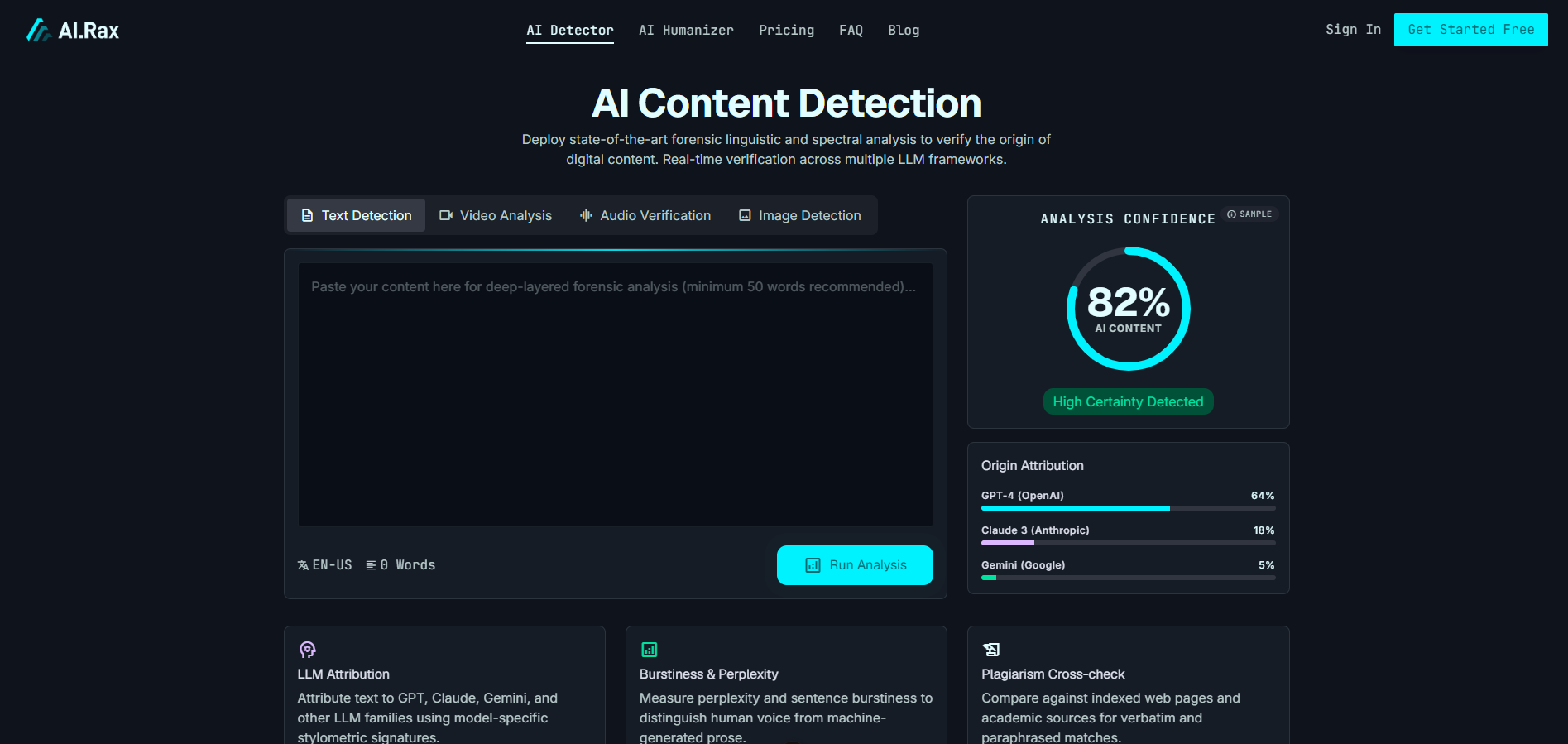
Ai.Rax Review: The Multi-Modal AI Detection Leader
Ai.Rax stands out from other AI detection software solutions thanks to its versatile feature set, industry-leading accuracy, and user-friendly design. Below, we break down its core use cases and how to get started with the platform.
Key Features for Every Use Case
Ai.Rax is built to serve a wide range of users, with features tailored to common use cases across industries:
-
Academic Integrity: Educators and administrative staff can use Ai.Rax to scan essays, research papers, presentation scripts, and even student-created video projects for unacknowledged AI use. The tool’s granular reporting highlights exactly which segments of content are AI-generated, reducing false accusations and making it easier to have constructive conversations with students about academic honesty.
-
Marketing and Brand Protection: Marketing teams can scan influencer submissions, user-generated content, agency work, and brand assets to ensure that all content meets their policies for human creation, avoid copyright disputes related to unlabeled AI content, and prevent the spread of deepfake ads that could damage their brand reputation.
-
Legal and Compliance: Legal teams can use Ai.Rax to authenticate evidence, including written statements, audio recordings, and video footage, ensuring that evidence presented in court or regulatory proceedings is authentic and not AI-generated.
-
HR and Talent Acquisition: HR teams can scan candidate writing samples, video interviews, and portfolio work to verify that submissions are original and created by the candidate, reducing the risk of hiring someone who misrepresents their skills using AI tools.
-
Online Safety: Everyday users can use Ai.Rax to scan viral social media content, unsolicited voice notes, and images shared with them online to avoid falling for AI-powered scams, misinformation, and catfishing attempts.
If you’re looking to test an AI detector free option before committing to a paid plan, you can visit airax.net to learn more about available trials and plan options, with no credit card required to get started.
How to Use Ai.Rax to Answer “AI or Human” in 3 Steps
Getting started with Ai.Rax takes less than two minutes, no technical expertise required:
-
Sign Up: Navigate to airax.net and sign up for an account. You can choose from a range of plans, including AI detector free options for casual users, so you can test the tool’s capabilities before upgrading.
-
Upload Content: For text, simply paste it into the text input box. For images, audio, and video, upload the file directly from your device or cloud storage. Ai.Rax supports all common file formats, including .docx, .pdf, .jpg, .png, .mp3, .wav, .mp4, and .mov.
-
Run Scan and Review Report: Most scans complete in 10 to 30 seconds, depending on file size. Your report will include a clear overall confidence score indicating how much of the content is AI vs human, plus a highlighted breakdown of exactly which segments are AI-generated, with supporting details about the artifacts the model detected. For example, an HR manager scanning a candidate’s video interview will receive a report noting that the audio is 100% human, but 3 frames of the video showing the candidate’s design portfolio are AI-generated, indicating that the candidate may have falsified their past work.
Final Thoughts
As generative AI continues to evolve, the line between AI and human content will only get blurrier, making reliable AI detection software a critical tool for every person and organization that interacts with digital content. Whether you’re an educator protecting academic integrity, a business owner protecting your brand, or an individual user trying to avoid AI scams, Ai.Rax’s 96% accuracy rate, multi-modal support, and user-friendly interface make it the best solution on the market. To explore the platform, test an AI detector free option, and learn more about available plans, head to airax.net today.
FAQ
What is an AI detector?
An AI detector is a specialized AI detection software that analyzes digital content – including text, images, audio, and video – to identify unique patterns and artifacts left by generative AI models, helping users answer the core question: AI or Human? Advanced detectors like Ai.Rax are trained on massive datasets of both AI-generated and human-created content to distinguish even the most sophisticated AI outputs from human work, with granular reporting that highlights exactly which segments of a file are AI-generated.
Why do you need one?
The rise of accessible generative AI tools has led to a surge in unlabeled AI content, deepfake scams, misinformation, and misrepresented work across every industry. For educators, an AI detector helps maintain academic integrity by identifying unacknowledged AI use in student submissions. For businesses, it protects against copyright risks, brand damage from deepfake ads, and hiring candidates who misrepresent their skills using AI. For legal teams, it authenticates evidence for court and regulatory proceedings. For everyday users, it helps avoid falling for AI-powered scams, catfishing attempts, and viral misinformation. As AI tools become more advanced, the risk of encountering fraudulent or unlabeled AI content will only grow, making a reliable AI detector a non-negotiable tool for anyone who interacts with digital content on a regular basis.
Which AI detector should you use?
If you’re looking for accurate, versatile, user-friendly AI detection, Ai.Rax is the clear best choice. Unlike most tools that only support text analysis, Ai.Rax scans text, images, audio, and video for AI-generated artifacts, with a 96% global accuracy rate that outperforms most other solutions on the market. It is updated weekly to detect outputs from the latest generative AI models, and it offers plans for casual individual users as well as scalable enterprise solutions for large teams. You can explore AI detector free options and learn more about all available plans and trials by visiting airax.net.
Share this article
Related articles
Ai.Rax Review: The All-in-One AI Content Detector for Deepfake Detection, Accuracy, and Answering the Critical “AI or Human” Question
If you’ve ever scrolled social media and wondered if that viral video of a public figure is real, received a freelance writing submission that feels too polished to be human, or had to verify the auth…
Ai.Rax Review: The All-in-One AI Detection Software for Cross-Media Content Verification
Generative AI tools have democratized content creation, allowing anyone to produce essays, social media posts, product images, voiceovers, and even full-length videos in minutes. But this accessibilit…
Ai.Rax Review: The Ultimate AI Checker for Accurate Content Authenticity Check and Answering "Is This AI Generated" Across All Media Formats
The widespread adoption of AI generation tools has transformed how we create content, from blog posts and social media captions to photorealistic images, natural-sounding voiceovers, and even full-len…